Windows PC
Free Version
$0no card
- Unlimited accounts
- Basic settings only
- You run it on your PC
Farm, build, and finish Call of Dragons dailies around the clock on Windows PC or any device. Running since 2015.
How it works
You can think of our Call of Dragons bot as an AI program that plays Call of Dragons for you 24/7 on unlimited accounts. It takes your farm accounts and brings them alive.
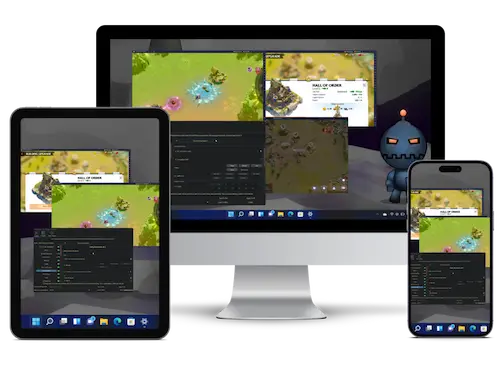
The bot uses an Android emulator to play Call of Dragons on PC. CoDBot then uses image recognition to see and interact with the game just like a human would. The BoostBot AI makes decisions and runs scripts based off the settings and goals you choose.
Windows app or Bot Server.
Not sure which plan fits?Answer a question or two. We'll show the plan and its price.
Help me chooseFarm accounts and top-up
Farm accounts hand-leveled to your world, lowest each at 20 accounts. Plus game top-ups through LDShop at up to 25% off.
BoostBot's Call of Dragons bot is designed in a way that gives you the ability to configure the bot to play exactly as you wish. We have plenty of configurable settings to choose from and plan to offer many more in the future.
From download to a farming account in about 15 minutes.
Grab the free Windows download and install LDPlayer 9, or pick Bot Server and we run everything on our hardware while you control it from a phone, tablet or Mac.
Log in through the emulator, tick what the bot should handle and set its schedule. If anything is unclear, Discord support walks you through it.
Press start. The bot gathers, builds, trains and clears dailies around the clock on every account you add, while you play the parts you enjoy.
Everything you need to know about the Call of Dragons bot.
BoostBot plays through the screen with image recognition and human-like timing. It never touches game files or the game servers. No tool can promise zero risk, so many players start on farm accounts and add their main once they are comfortable. Our bot safety guide covers the details.
The free download and Premium run as many accounts as your PC can handle. Bot Server runs up to 60 accounts across up to 3 emulators on our hardware.
The free download and Premium need a Windows 10 or 11 PC with an Android emulator. On a phone, tablet or Mac, pick Bot Server: we run the bot and the emulators, and you control everything from a browser.
Step-by-step setup guides and Discord support come with every plan, the free version included. Most people are running within 15 minutes of asking. Join the Discord.
Yes. There are no contracts, and you can cancel any time from your account. Refund eligibility and the 14-day window are set out in the Refund Policy.
For the free download and Premium, yes: the bot runs in an emulator on your PC, so it farms while the PC is on. Bot Server and Farm for Me run on our hardware around the clock, so your PC can stay off.
Start free on Windows, or let it run on our hardware from any device. Setup takes about 15 minutes, and Discord support is one click away.
Refund policyTrusted since 2015