Windows PC
Free Version
$0no card
- Unlimited accounts
- Basic settings only
- You run it on your PC
Last Updated September 19, 2026
The Kingshot bot automates gather, train, build, and upgrades so your city keeps moving overnight. Download it free for Windows, then add Premium, Bot Server, Farm for Me, or farm accounts when you need more. One license covers the bot, not a single game.
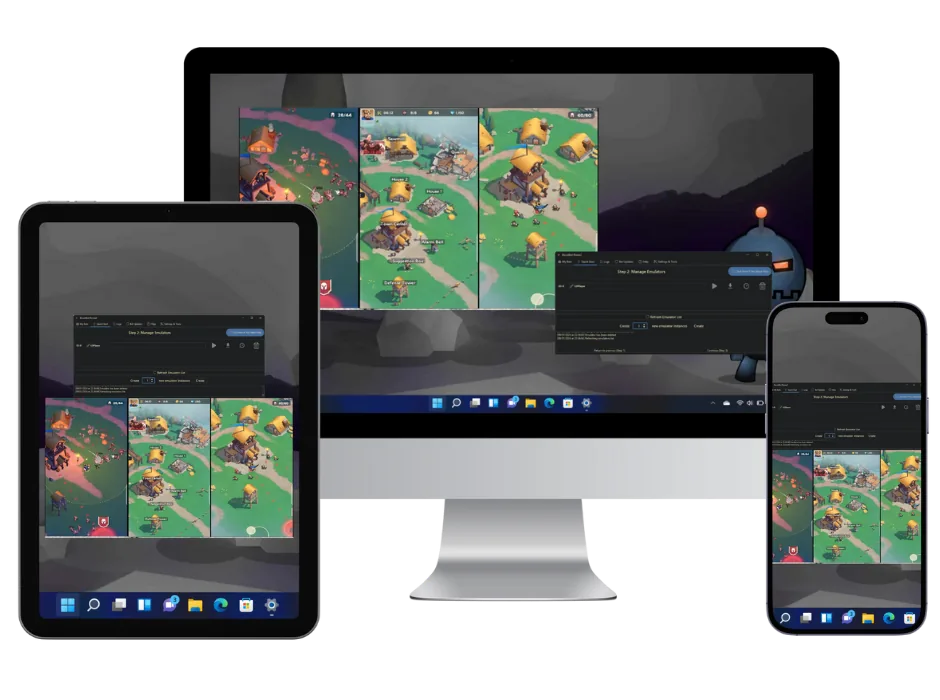
The most advanced automation tool that transforms how you play Kingshot. Manage unlimited accounts, farm 24/7, and dominate the competition while you focus on strategy.
Powerful features that give you the edge with botting options for all devices.
Only the free download and Premium need a PC. Bot Server and Farm for Me run on our hardware, so any device you can open a browser on is enough.
We run the bot and the emulators on our hardware. You control it from a phone, a Mac or a tablet. See Bot Server
Our team runs your accounts on our machines, so there is nothing on yours to set up. See Farm for Me
Windows 10 or 11 with LDPlayer 9 (Nox and MEmu work too), Java JRE and JDK 25, and an English folder path. Setup guide
Farm accounts
Hand-leveled to your world. Plug into the bot when they arrive. Lowest each at 20 accounts.
From download to domination in under 15 minutes
Download BoostBot for Windows 10+ or choose our cloud server option for mobile devices. Installation takes less than 5 minutes.
Add your Kingshot accounts and customize bot settings. Our intuitive interface makes setup simple for beginners.
Hit start and watch your accounts farm resources, train troops, and upgrade buildings 24/7. Focus on strategy while the bot handles the grind.
Everything you need to know about the Kingshot Bot
Premium runs Kingshot on your Windows PC with an emulator, and one license covers unlimited accounts on that machine. Bot Server is a hosted RDP with the license included, so you farm from anywhere. Farm for Me is billed per Kingshot account and BoostBot runs the farm for you. Pick local, remote, or hands-off.
Any automation can lead to account action, and no bot is ban-proof. Our bot safety guide lists the precautions worth taking in any game. BoostBot plays through image recognition and human-like timing rather than touching game files, and the same precautions apply anywhere: vary script settings between accounts, keep in-game purchases small, give farm accounts unique names and avoid discussing botting in game.
Premium runs as many accounts as your PC can handle. Bot Server runs up to 60 accounts across up to 3 emulators.
Free download and Premium need Windows 10 or 11 plus an Android emulator, so they do not run on a phone. Bot Server and Farm for Me run on BoostBot hardware. A phone, Mac, or tablet is enough to control the farm and check progress in a browser.
Our 24/7 support team is here to help! We provide Discord support, and detailed setup guides. Most users are up and running within 15 minutes of their first contact with support. Join the discord.
Absolutely. There are no contracts or commitments. You can cancel your subscription at any time, and refund eligibility and time limits are set out in the Refund Policy.
For the free download and Premium, yes: a Windows 10 or 11 PC with an Android emulator. We recommend LDPlayer 9, and Nox and MEmu also work. BlueStacks is not supported. If that does not suit you, two plans need nothing on your machine. Bot Server runs the bot and the emulators on our hardware, and Farm for Me has us run your accounts for you. Both work from a phone, a Mac or a tablet, and neither asks you to leave a PC on.
Pick the plan that fits, or ask us on Discord first.
Refund policyTrusted since 2015