
Home Bots Whiteout Survival

Whiteout Survival Bot

The BoostBot Whiteout Survival bot automates furnace, gather, train, explore, and upgrades. Run Free Windows or Premium on a PC with an emulator, pick Bot Server for hosted RDP, or Farm for Me for hands-off play. Shop farm accounts when you need extra cities. One license covers the bot, not a single game.
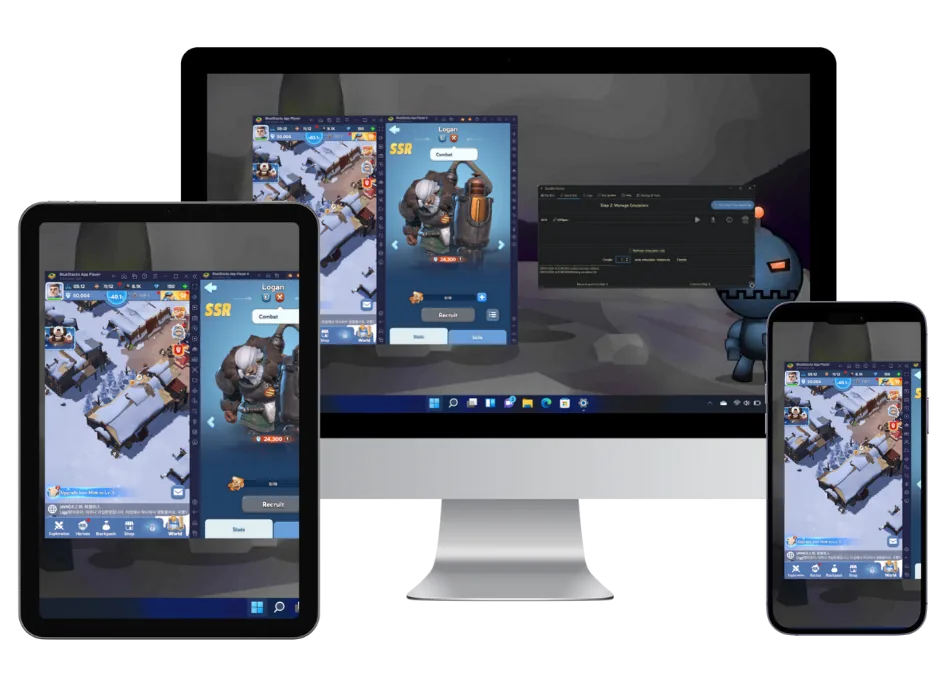
Whiteout Survival Bot On All Devices

Bot updated Jul 10, 2026

See the Whiteout Survival bot in action

Every setting is a checkbox. Tick the Whiteout Survival chores you want handled, gathering, building, training, dailies, alliance help, and the bot repeats them on a schedule across every account you add.

  • Unlimited accounts on your own PC
  • Plays through the screen, no game files touched
  • Updated as Whiteout Survival changes
  • Same bot on your Windows PC or our servers

Choose Your Whiteout Survival Bot Plan

Powerful features that give you the edge with botting options for all devices.

Windows PC

Free Version

$0no card
  • Unlimited accounts
  • Basic settings only
  • You run it on your PC
Download free
Any Device

Bot Server

$80.00per month, billed yearly
  • Licence included
  • Runs in the cloud, PC stays off
  • Connect from Android, iOS, Mac, or PC
Get Bot Server
Hands-off

Farm for Me

$8.00as low as / per account / month
  • One farm account
  • We run the bot
  • Not for the account you play yourself
Get Farm for Me
Recent Whiteout Survival Bot Updates

Our Whiteout Survival bot is updated constantly. Last update: July 10, 2026.

Jul 10, 2026
  • Updated the gamepack.
Jun 21, 2026
  • Updated pet skill arctic embrace.
  • Improved island help when the button's scaling.
  • Improved island essence collection when the button's scaling.
Jun 10, 2026
  • New script: crystal lab refine.
  • New script: crystal exchange.
  • New script: help alliance island.
  • New script: harvest island essence.
  • Added WhiteoutViewport#isOnIsland.
  • Added WhiteoutViewport#leaveIsland.
  • Implemented island check to the WhiteoutViewport#isOnMap method.
  • Added WhiteoutQuickNavigationTarget#TREE_OF_LIFE.
  • Added WhiteoutBuilding#WAR_ACADEMY.
  • Added WAR_ACADEMY priors.
  • Added WhiteoutBuilding#CRYSTAL_LABORATORY.
  • Added CRYSTAL_LABORATORY priors.
  • Added WhiteoutBuilding#DAWN_ACADEMY.
  • Added DAWN_ACADEMY priors.
  • Reimplemented word overlap check to the building locator.
Jun 5, 2026
  • Added WhiteoutBuilding#DOCK.
  • Added DOCK priors.
  • Updated bottom river building priors.
  • The bot will now use template matching in some cases when identifying anchors.
May 28, 2026
  • Added WhiteoutBuildingPriors.
  • Reworked the building locator to use a graphs/anchor system. The bot will now know where exactly to find the building based on the current camera position.
May 18, 2026
  • Updated WhiteoutBuildingUpgrading#isSpeedupOpenArrowVisible to get less false positives and confusions with the building upgrading button while the hintarrow is visible.
May 15, 2026
  • Added WhiteoutSearchEntity#BERSERK_CRYPTID.
  • Added WhiteoutSearchEntity#GREAT_SMELTER.
  • The bot will now recognize the search menu with the new extra entities.
Apr 24, 2026
  • Updated the gamepack.
  • The alliance tech script will now longer confuse the donation window with alliance description.
Since 2015Secure checkoutDiscord supportRefund policy
What you need for each plan

Only the free download and Premium need a PC. Bot Server and Farm for Me run on our hardware, so any device you can open a browser on is enough.

Bot Server: nothing to install

We run the bot and the emulators on our hardware. You control it from a phone, a Mac or a tablet. See Bot Server

Farm for Me: we play it for you

Our team runs your accounts on our machines, so there is nothing on yours to set up. See Farm for Me

Free download and Premium: your PC

Windows 10 or 11 with LDPlayer 9 (Nox and MEmu work too), Java JRE and JDK 25, and an English folder path. Setup guide

Farm accounts

Whiteout Survival Add-Ons

Hand-leveled to your world. Plug into the bot when they arrive. Lowest each at 20 accounts.

Can I run multiple Whiteout farm accounts?

Yes. Premium covers unlimited Whiteout Survival accounts on that PC license. Bot Server uses the included hosted RDP license the same way. Farm for Me bills each account. Add ready farm accounts from the shop add-on when you need extra cities without building them by hand.

Does the Whiteout Survival bot work on mobile?

Free Windows and Premium for Whiteout Survival run on a Windows PC with an emulator. A phone, Mac, or tablet cannot host that client. Use Bot Server for a hosted RDP license, or Farm for Me if BoostBot should run the account for you. The license is not per game.

Premium vs Bot Server vs Farm for Me for Whiteout

Premium is a Windows PC license with an emulator and unlimited Whiteout Survival accounts on that machine. Bot Server is hosted RDP with the license included. Farm for Me bills per account and BoostBot runs it. Pick Premium for local control, Bot Server for remote Windows, or Farm for Me for hands-off play.

Tasks the Whiteout bot automates

The BoostBot Whiteout Survival bot automates furnace, gather, train, explore, and building upgrades on the account you assign. That is the full task set for Whiteout Survival. Match the SKU to Free Windows or Premium on a PC, hosted RDP Bot Server, or per-account Farm for Me.

Start Botting in 3 Simple Steps

From download to domination in under 15 minutes

Free Download

Download the BoostBot software for Windows 10+ or choose our cloud server option for mobile devices. Installation takes less than 5 minutes.

Configure Settings

Add your Whiteout Survival accounts and customize bot settings. Our intuitive interface makes setup simple for beginners.

Start Dominating

Hit start and watch your accounts farm resources, train troops, and upgrade buildings 24/7. Focus on strategy while the bot handles the grind.

Real Reviews & Feedback

The free bot is much easier and simpler to use than other bots. The bot for me service is definitely an amazing choice if... and I would highly recommend [it] to anyone who wants to use it on a farm account.

JMJane MareBots Multiple Games

BoostBot support is the best of any bot out there. The bots have been a game changer. Using the bot for me service is incredible, they take care of everything!

SSeanWhiteout Survival Player

I decided to go bigger with [BoostBot] doing the botting for me from 5 to 10 accounts. It's not fun when I have to police the company that's supposed to be botting for me. With boostbot I don't need to micro manage

PPinkpuffyBot For Me User

Frequently Asked Questions

Everything you need to know about the Whiteout Survival Bot

Is the bot safe to use and working in 2026?

Bans are rare in Whiteout Survival. The real risk sits in Rise of Kingdoms and Call of Dragons, which is what our bot safety guide is written for. BoostBot plays through image recognition and human-like timing rather than touching game files, and the same precautions apply anywhere: vary script settings between accounts, keep in-game purchases small, give farm accounts unique names and avoid discussing botting in game.

How many accounts can I run?

There's no limit! You can run the bot on unlimited accounts. Many of our users successfully manage 50+ farm accounts simultaneously. The only limitation is your hardware capacity.

Does it work on Mobile Devices?

No, the downloadable BoostBot software runs only on a Windows 10 or 11 PC, using an Android emulator for the game. Mac, iPhone, and Android users can choose the "Bot Server" Any Device plan and control our hosted machine remotely, or choose "Farm For Me", Hosted by BoostBot, No Computer Required.

Is there a free version for mobile?

Our mobile version runs on cloud servers instead of on your computer. These servers are expensive, so we can't offer a free version. If you have a Windows PC, you can try our free version.

What if I need help setting up?

Our 24/7 support team is here to help! We provide Discord support, and detailed setup guides. Most users are up and running within 15 minutes of their first contact with support. Join the discord.

Can I cancel anytime?

Absolutely. There are no contracts or commitments. You can cancel your subscription at any time, and refund eligibility and time limits are set out in the Refund Policy.

Ready to Bot Whiteout Survival?

Pick the plan that fits, or ask us on Discord first.

Refund policyTrusted since 2015