To play Beast Lord: The New Land on PC, install a free Android emulator such as LDPlayer 9, sign in to Google Play inside it and install the game. StarFortune has no Windows version, and Beast Lord is not offered on Google Play Games on PC. On a Mac with an Apple chip, you can install the iPad app from the App Store.
Yes, you can play Beast Lord on a Windows PC, but only through an Android emulator. LDPlayer 9 is the one we recommend, and Nox and MEmu also work. Sign in with the login your phone account uses and your lord loads on the PC.
 Rather not do this by hand? The Beast Lord: The New Land bot runs it on every account.See how it works
Is there a Beast Lord: The New Land PC version?
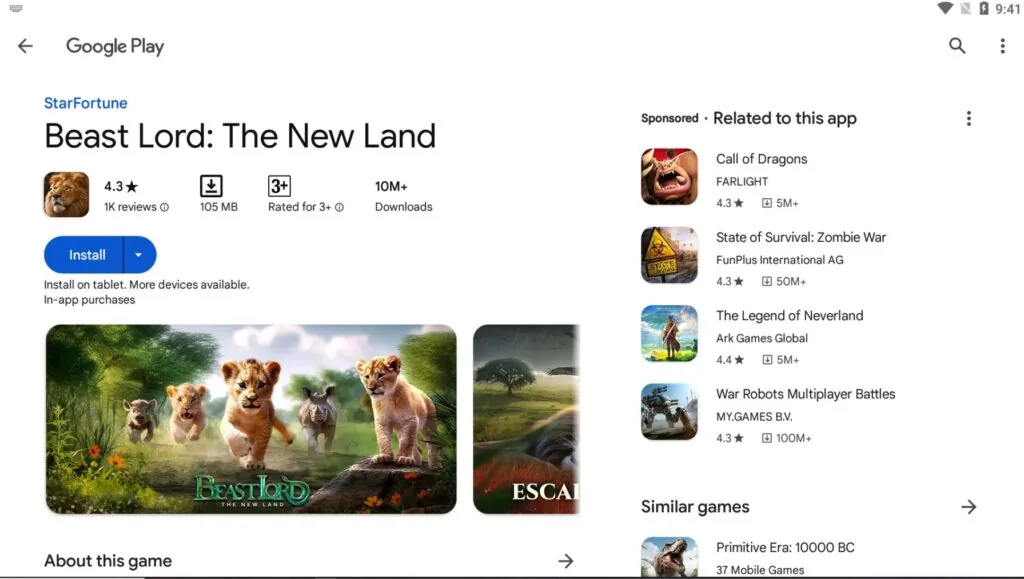
No. Beast Lord’s Google Play page has a plain Install button with no Install on Windows option, so Google Play Games on PC does not carry it. We found no PC launcher from StarFortune either. The emulator pages that come up in search all run the Android version.
An emulator runs Android inside Windows. You install Beast Lord there the same way you would on a phone, and you play it with a mouse on a bigger screen.
What do you need to run Beast Lord on PC?
You need a PC that can run LDPlayer 9 with hardware virtualization turned on. LDPlayer publishes these requirements for the emulator itself.
| Part | LDPlayer 9 minimum | LDPlayer 9 recommended |
|---|---|---|
| Processor | Intel or AMD, x86 or x86_64 | Intel i5 10500 or better |
| Memory | 2 GB of RAM | 16 GB of RAM or more |
| Disk | 36 GB free | 100 GB |
| Graphics | DirectX 11, OpenGL 2.0 driver | NVIDIA GeForce GTX 1660 Ti or better |
| Other | Hardware virtualization (Intel VT-x or AMD-V) on in BIOS | Same |
The minimum boots the emulator. For more than one Beast Lord account at a time, plan on the recommended memory.
How to play Beast Lord: The New Land on PC with LDPlayer
The install takes four steps.
- Install LDPlayer 9. Download LDPlayer 9 and open it once so it finishes setting up. Turn on virtualization in your BIOS if LDPlayer asks for it.
- Sign in to Google Play. Open the Play Store inside LDPlayer and sign in with your Google account. If you will use the bot, turn off auto-app updates in the Play Store settings.
- Install Beast Lord. Search for Beast Lord: The New Land, check that the developer reads StarFortune, and press Install.
- Load your lord. Sign in with the same login your phone account is linked to. A new login starts a new lord. Each extra emulator instance can hold another account.
Install LDPlayer on Windows itself, since a virtual machine usually cannot run the emulator. On a slow PC, the Fix emulators option in BoostBot sets each emulator to 2 cores and 2 GB.
Once Beast Lord runs in LDPlayer, the Beast Lord: The New Land bot plays it for you on a schedule. It upgrades buildings, gathers, trains and heals troops, runs technology evolution and hosts rallies. It needs Windows 10 or 11, Java JRE and JDK 25, and an English Windows username. Set the game language to English and finish the tutorial first. The setup guide walks through each step.
Want extra accounts without the early grind? We sell pre-leveled Beast Lord: The New Land farm accounts that the bot can run alongside your main account.
StarFortune’s terms of service ban bots, automation programs and third-party software, and let the company suspend or terminate an account. No bot can promise you will not be banned. Read our bot safety guide first.
Can you play Beast Lord on Mac?
Yes, on a Mac with an Apple chip. The App Store listing supports Macs with an Apple M1 chip or later running macOS 11.0 or later. It is the iPad app, and the listing marks it “Not verified for macOS”, so expect touch-style controls.
Our bot is a Windows app, so it does not install on macOS. Mac players can rent a Bot Server, which runs the bot and the emulators in our cloud with the licence included, controlled from a browser. Another option is Farm for Me, where our team runs your farm accounts, never your main.
Beast Lord PC FAQ
Can I play Beast Lord on Google Play Games on PC?
No. Its Google Play page does not offer the Windows install that Google Play Games needs. Use LDPlayer 9, Nox or MEmu.
Can I play Beast Lord on a laptop?
Yes. A Windows laptop uses the same steps, as long as it can turn on hardware virtualization and has at least 36 GB free for LDPlayer.
Which emulator is best for Beast Lord?
We recommend LDPlayer 9, and Nox and MEmu also work with our bot. BlueStacks runs the game, but our bot does not support it.
Does my phone progress carry over to PC?
Yes, if your phone account is linked to a login. Sign in with that login in the emulator and the same lord loads. Link the account in the game’s settings before you switch.
Is there a Beast Lord hack for PC?
No. The emulator runs the same game on the same servers. Our page on Beast Lord hacks and cheats explains why they fail, and the Beast Lord gift codes page lists the free rewards that do work.
Facts checked October 31, 2026 against: the Beast Lord: The New Land listings on Google Play (updated October 28, 2026) and the App Store (version 1.5.0, Mac requirements). Also the LDPlayer 9 system requirements on ldplayer.net, StarFortune’s terms of service (updated July 28, 2026) and boostbot.org/get-started/.
Prefer BoostBot on Google so our code lists and guides show up first when you search.
Add BoostBot on Google

